
This page is designed to help you download and install PAK234 Game more easily, while also giving you a quick preview of the game styles available inside the app. If you want a clearer setup guide before getting started, you can use the steps below and then scroll down to see what the lobby usually looks like after installation.
To avoid outdated or modified files, always start from pak234game.com.
Get the latest PAK234 Game Android APK. Play on iOS in your browser, or on PC via emulator.
Quick note: Android users can install the APK directly after download. iPhone and iPad users usually continue through the browser-playable version. On PC, PAK234 is commonly used through an Android emulator.
Getting Started on Android
Downloading PAK234 Game on Android is usually simple.
- Open pak234game.com on your Android phone.
- Find the main download button for the latest APK.
- Tap the button and wait for the file to finish downloading.
- Open the downloaded APK file to begin installation.
If your phone shows a warning before installation, that is normally part of Android’s built-in protection for APK files.
If Android Blocks the APK
Some Android devices do not allow APK installation from the browser or file manager by default. If that happens, follow these steps:
- Tap the APK file.
- When the warning appears, open Settings.
- Enable Allow from this source or Install unknown apps for the app you used to download the file.
- Return to the APK and tap it again.
After that, the installation should continue normally.
Install and Open the App
Once permission is enabled:
- Tap Install.
- Wait for the installation to complete.
- Tap Open after installation, or return to your home screen and launch the PAK234 icon manually.
If the app does not open properly the first time, close background apps and try again. A quick device restart can also help.
If You Use iPhone or iPad
PAK234 is not always offered as a full native iOS app. In many cases, iPhone and iPad users can still continue through the browser version.
- Open pak234game.com on your iPhone or iPad.
- Tap Play on iOS Device.
- Continue in the browser-based version if available.
That means iOS users may not need APK installation at all. If the browser version does not load correctly, try refreshing the page or using another browser before contacting support.
Playing on PC
If you want to use PAK234 on a computer, the usual method is an Android emulator.
Common choices include BlueStacks, LDPlayer, MEmu Play, NoxPlayer, and GameLoop.
Basic steps:
- Install an emulator from its official website.
- Open the emulator and complete the basic setup.
- Download the PAK234 APK from pak234game.com on your PC.
- Drag the APK into the emulator window, or use the emulator’s APK install option.
- Finish installation and launch the app inside the emulator.
If performance feels slow, reduce the emulator resolution, close heavy background programs, or enable virtualization in BIOS if your system supports it.
What You May See After Opening PAK234
After installation, PAK234 does not feel like a single fixed game. It opens more like a game lobby, where different titles appear together on one screen. Some are slot-style games with bright themed visuals, while others are multiplayer or table-style games that feel more direct and competitive.
Depending on the app version or lobby updates, the exact game list may not always look the same, but the overall layout is usually easy to recognize.
Slot-Style Games in the App
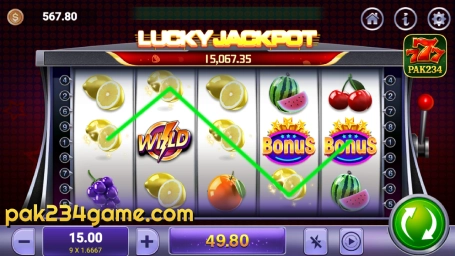
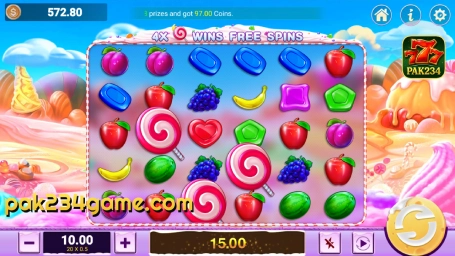
One large part of the lobby is made up of slot-style games. These are usually the easiest to recognize because they use colorful covers, themed symbols, and more visual layouts.
Games you may see include:
Gems Fortune, Starlight Princess, Gates of Olympus, Classic Fruit, Thunder Fire, Super Ace, Golden Frog, Wheel of Wishes, Bandidos Bang, Fire Joker, Mayan Empire, Cash of Gods, Moon of Ra, Sweet Bonanza, Spinanga, Gorilla Realm, Fortune Mouse, Fortune Tiger, Excalibur Unleashed, Starburst, Fortune Rabbit, Ox Fortune, Lucky Dollar, Daruma, Mammoth Diamond, 5 Dragons, and Duo Cai Duo Fu.
These titles do not all feel the same. Some are simpler and easier to read at first glance, while others use heavier fantasy, treasure, or bonus-style visuals.
Simpler slot-style screens
Games like Classic Fruit, Super Ace, Lucky Dollar, and Starburst usually look more direct. Their layouts feel less crowded, so they are often easier for first-time users to understand visually.
Brighter and fortune-themed titles
Games such as Gems Fortune, Golden Frog, Fortune Mouse, Fortune Tiger, and Fortune Rabbit lean more toward bright symbols and fortune-style presentation. These are often the titles that stand out quickly in the lobby because the artwork is easy to recognize.
Fantasy and temple-style visuals
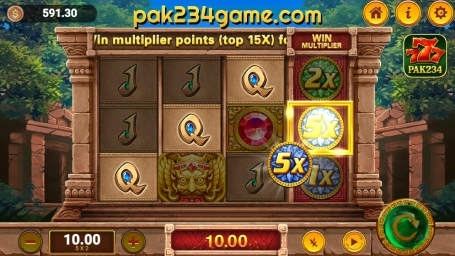
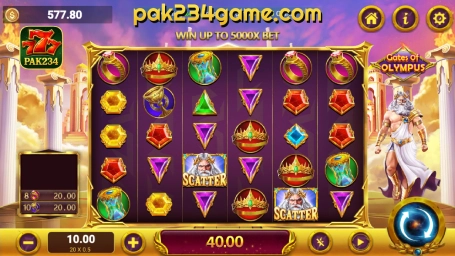
Games like Gates of Olympus, Mayan Empire, Moon of Ra, Cash of Gods, and Excalibur Unleashed usually feel more dramatic in visual style. Compared with simpler slot layouts, these titles often use stronger effects, darker backgrounds, or more layered symbols.
Candy, wheel, and bonus-style presentation
Games such as Sweet Bonanza, Wheel of Wishes, Bandidos Bang, Thunder Fire, Fire Joker, Mammoth Diamond, 5 Dragons, and Duo Cai Duo Fu help make the lobby feel less repetitive, because their themes look quite different from one another.
Multiplayer and Table-Style Games
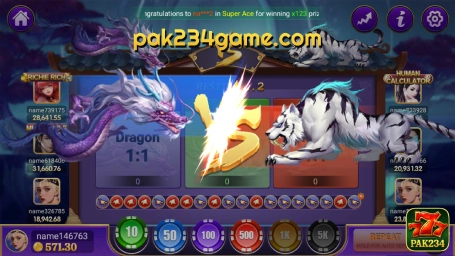
Another big part of the lobby includes multiplayer and table-style games. These usually feel more direct than slot-style titles and may be more familiar to users who prefer quicker rounds, competitive formats, color-based choices, or classic table-style layouts.
Games you may see include:
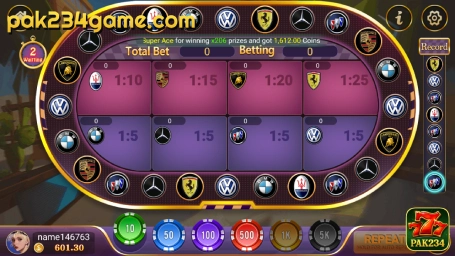
Roulette Zoo, 7up7down, Dragon Tiger Fight, Rocket, 9 Coins, Euro Roulette, Dragon King Fishing, Minas, Horse Racing, Car Roulette, Red and Black, Jhandi Munda, Lucky Teenpatti and sometimes other similar table-style titles depending on the current lobby arrangement.
Some of these are quick round-based games, while others use themed tables or more animated screens.
Direct and quick-round titles
Dragon Tiger Fight, Red and Black, 7up7down, and Lucky Teenpatti are the kinds of games that usually feel more immediate. Users who prefer shorter rounds and less visual clutter may naturally spend more time in this side of the lobby.
Roulette-style layouts
Roulette Zoo, Euro Roulette, and Car Roulette bring in a more table-focused layout. These screens tend to look more structured and less decorative than fantasy-style slot games, which gives the app a more balanced mix.
Fishing, racing, and themed formats
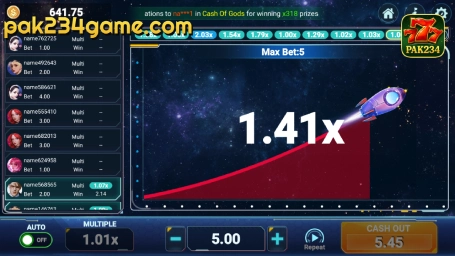
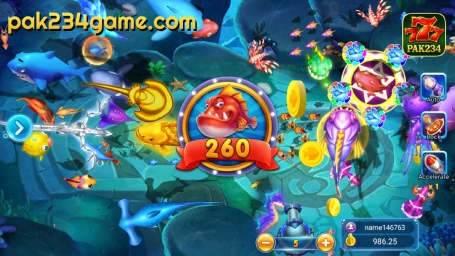
Dragon King Fishing, Horse Racing, Rocket, Jhandi Munda, Gourd Crab, and Minas help show that the app is not built around one single game type. Some users prefer these because the interface feels more dynamic or simply different from a standard slot screen.
A Simple Way to Explore the App for the First Time
If this is your first time using PAK234, it is usually better not to open everything at once. A simpler way to explore is:
- Install the app first.
- Open the lobby and look at the overall game layout.
- Start with a few clearer titles such as Classic Fruit, Super Ace, or Dragon Tiger Fight.
- After that, explore more visual games like Gems Fortune, Gates of Olympus, or Sweet Bonanza.
This makes the app feel less crowded on the first visit.
Basic Safety Tips
A few simple habits make the process safer:
- Download only from pak234game.com
- Avoid APK files shared through unknown links or random groups
- Never share your password or OTP code
- Keep the app updated if a newer version is available
- Restart your device if the app freezes after installation
This page is mainly here to help users install the app correctly and understand the lobby better, so these basic checks are usually enough for most users.
FAQs
Why does Android show “Install blocked” or “Unknown sources”?
This is a normal Android security setting for APK files. To continue, open the prompt settings and enable Install unknown apps or Allow from this source for the browser or file manager you used to download the APK.
The APK will not install. What should I do?
Try these quick fixes:
- Make sure your phone meets the app requirement
- Check if you have enough storage space
- Re-download the APK from pak234game.com
- Restart your phone and try again
If it still fails, contact support with your phone model and a screenshot of the error.
I installed PAK234, but it keeps loading or will not open
Try switching between Wi-Fi and mobile data, updating to the latest version, clearing the app cache if needed, and restarting your device.
I cannot find the same games shown on this page
Some titles may appear differently depending on the app version or lobby updates. Use the in-app lobby as the most current reference.
PC emulator is slow or laggy. How can I improve performance?
Close heavy background programs, lower the emulator graphics settings, allocate more CPU or RAM if available, and enable virtualization if your PC supports it.
If you still run into issues with downloading, installing, login, or app access, you can use the Contact Us page for further help.